Copier Account Codes for Law Firms
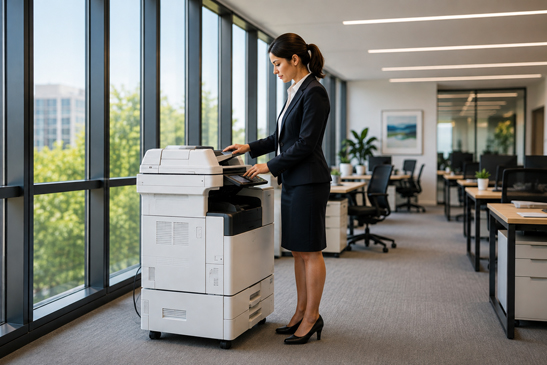
Law firms still depend heavily on printed documents. Case files, discovery materials, exhibits, closing packages, correspondence, and internal records can generate thousands of printed or copied pages every month. The challenge is not simply keeping up with that volume. It is knowing who printed what, which client or matter it belongs to, and whether those costs are being managed accurately.
One of the simplest tools available on many modern multifunction copiers is also one of the most useful for legal offices: copier account codes. By assigning codes to attorneys, departments, clients, or individual matters, a law firm can create much greater visibility into its printing activity without changing the way employees work dramatically.
Why Printing Costs Are Hard for Law Firms to Track
In a busy legal office, multiple people may use the same copier throughout the day. Attorneys, paralegals, legal assistants, and administrative staff may all be printing documents for different clients and matters. Without a tracking system, it becomes difficult to determine where the volume is coming from or whether reimbursable print and copy expenses are being captured consistently.
That can create several problems:
- Uncontrolled printing costs, especially when color printing or large print jobs are used unnecessarily.
- Billing inaccuracies when copy and print expenses cannot be tied back to the correct client or matter.
- Limited accountability because there is no clear record of which user, department, or case generated the activity.
- Difficulty identifying workflow issues, unusually high usage, or opportunities to move repetitive processes to more efficient digital workflows.
What Are Copier Account Codes?
Copier account codes are unique numeric or alphanumeric codes entered at the copier before a user can copy, print, scan, or access certain functions. Depending on the copier and software configuration, the code can identify an individual employee, department, client, project, or legal matter.
For a law firm, that means a copy job for Client A can be separated from work performed for Client B. A firm may also use codes by attorney, practice area, office location, or department. The result is a more organized record of device usage and a clearer picture of how printing resources are being consumed.
5 Benefits of Copier Account Codes for Law Firms
More Accurate Client & Matter Cost Tracking
When print and copy expenses are associated with a specific account code, firms have a stronger process for identifying which client or matter generated the expense. This can make internal cost allocation easier and support more accurate cost-recovery practices.
Better Control of Color Printing
Color pages typically cost more than black-and-white pages. Account codes can help firms identify where color volume is coming from and may be paired with permissions that limit color access to specific users or departments.
Greater Accountability
When users know copier activity is being tracked, there is naturally more awareness around how the device is used. Firms can identify unusually high-volume users, departments, or matters and determine whether usage is justified.
Better Information for Copier Decisions
Usage data helps when it is time to replace or right-size office equipment. Instead of guessing, a law firm can look at real print and copy activity to determine the right device speed, volume, capacity, and finishing options.
Foundation for More Advanced Print Management
Basic account codes are a good starting point. As a firm grows, it may eventually need user authentication, card access, secure release, detailed reporting, or integration with document and cost-recovery workflows.
Account Codes vs. Advanced Print Management Software
Account codes are useful because they are relatively simple, but they are not the same as a full print management platform. A growing law firm may eventually need more detailed reporting, secure print release, user authentication, centralized device rules, or automated cost tracking across multiple copiers and printers.
| Capability | Copier Account Codes | Advanced Print Management |
|---|---|---|
| Cost tracking by client/matter | Basic (manual entry) | Automated & integrated |
| Color control & rules | Limited | Granular policies |
| Secure print release | Not typically | Card / PIN / mobile |
| Detailed reporting & dashboards | Basic | Advanced analytics |
| Multi-device central management | Device-dependent | Unified console |
The right approach depends on the size of the firm, the number of devices, how client expenses are handled, and the level of security and reporting required. For some offices, built-in copier account codes may be enough. For others, a platform such as Canon uniFLOW or another print management solution may provide a better long-term fit.
How to Set Up Copier Account Codes in a Law Office
A successful setup does not need to be complicated. A practical rollout usually includes:
- Deciding whether codes will be assigned by user, department, client, matter, or a combination of these.
- Creating a naming or numbering convention that is easy for employees to understand.
- Determining which copier functions should require a code.
- Testing reporting to make sure usage is being recorded the way the firm expects.
- Training employees on when and how to enter the correct code.
- Reviewing usage reports periodically and removing inactive codes when matters close or employees leave.
Are Copier Account Codes Worth It for a Small Law Firm?
Yes, especially when the firm handles a meaningful amount of printed client work. Even a small law office can benefit from knowing where print volume is going. The value is not only in potential client cost recovery. Better tracking can also expose waste, help control color usage, and provide useful information when evaluating copier service agreements or replacement equipment.
Law Firm Copier & Print Solutions in Columbia, SC
Capital Office Products helps law firms and professional offices throughout Columbia, Lexington, Irmo, West Columbia, Chapin, and the surrounding South Carolina Midlands evaluate copiers, printers, multifunction devices, and print-management workflows. The goal is not simply to place a copier in the office, but to make sure the equipment supports the way the firm actually works.
If your law firm is unsure whether its current copier can track users, clients, or matters, we can review the existing setup and explain what is already available, what may need to be configured, and whether more advanced print management would provide additional value.
Ready to get better visibility?
Contact Capital Office Products to schedule an office technology assessment.
Capital Office Products · Serving the South Carolina Midlands